BuildSweeper: build artifacts and cache cleaner for macOS
BuildSweeper scans user-selected folders, detects build artifacts for common development ecosystems, surfaces global cache locations across the system, and helps you delete them safely.
Download from Apple Storev1.8.0 · macOS 14 (Sonoma) or later
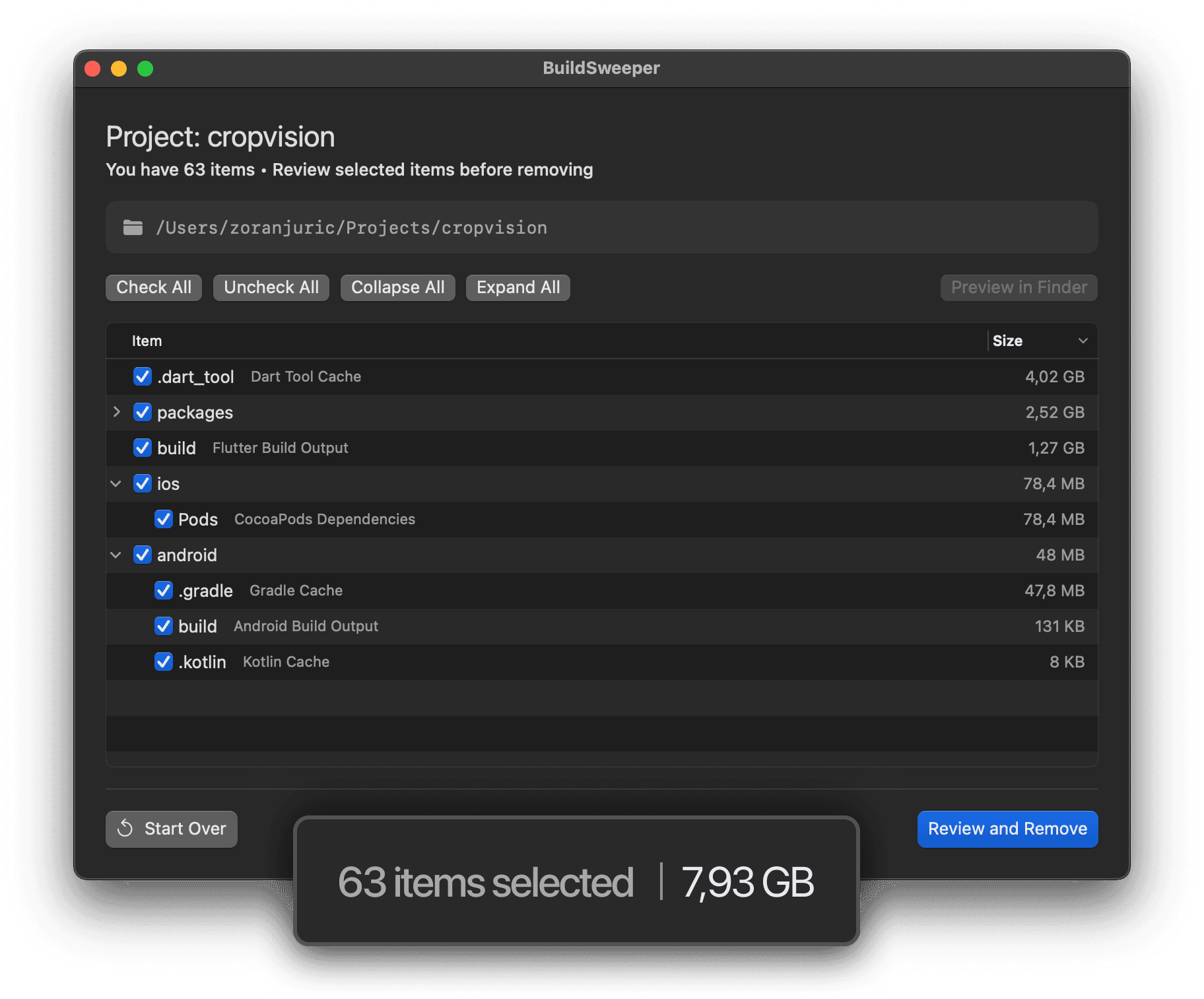
Scan your project folders
Quickly review dev artifacts by ecosystem and size before deleting.
- Project type autodetection: Flutter, Node, iOS, Android, Rust, Python, and more
- Hierarchical tree with per-item sizes and descriptions
- One-click (Un)Check/Collapse/Expand for faster review
- Finder preview for any selected folder
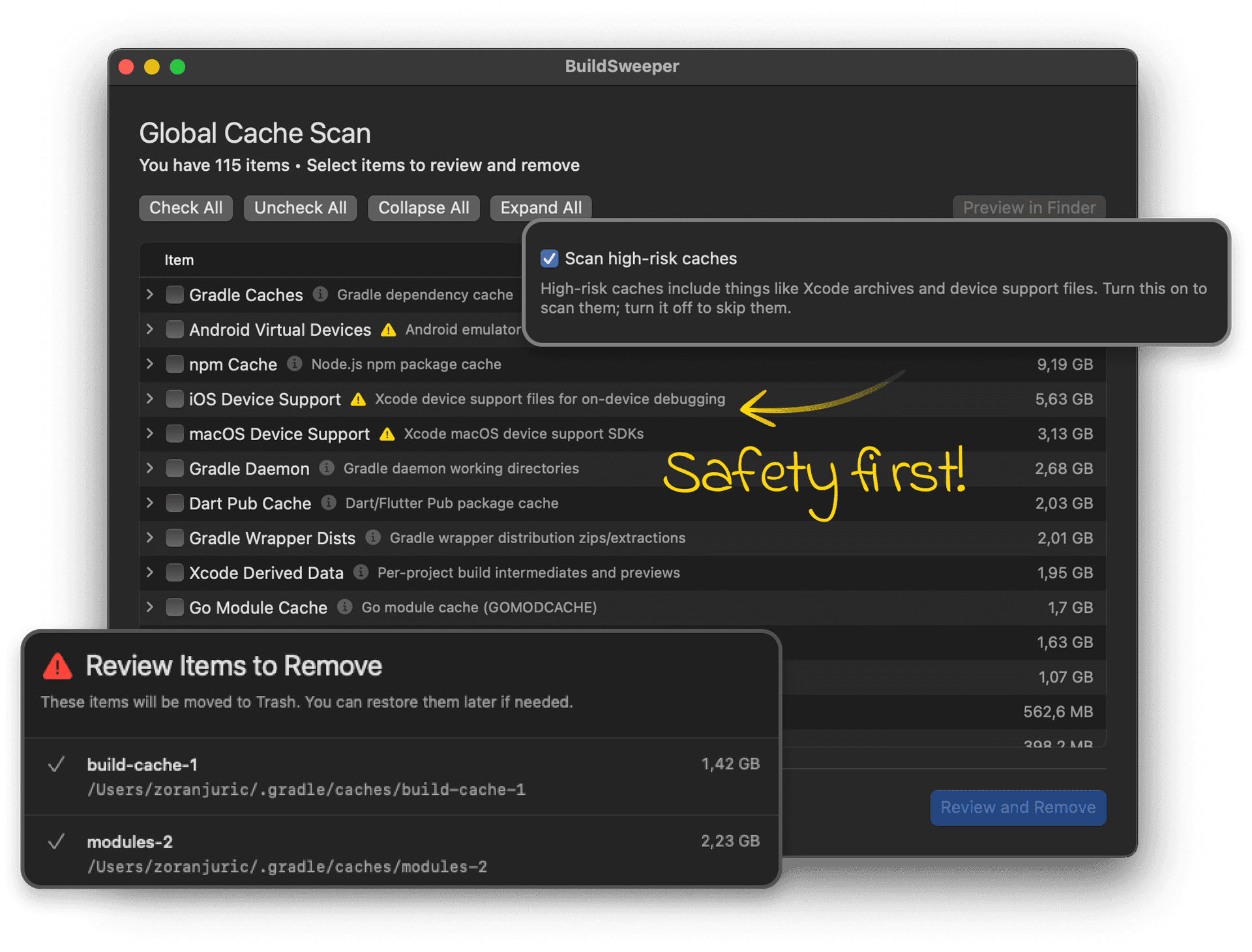
Clean the global cache
Are you tired of manually searching for paths to hidden caches and pre-installed libraries?
- Curated global cache registry with per-category toggles
- Hiding high-risk caches
- Trashing vs. permanent deletion options

Monitor free disk space
Keep disk space in view while you work.
- Menu bar disk indicator with bytes or percentage
- Custom refresh intervals and decimal precision
Frequently Asked Questions
What BuildSweeper scans, what it can delete, and how safe the cleanup flow is.
BuildSweeper is a native macOS cleanup utility for developers. It scans project folders and curated global cache locations, then helps you review and remove build artifacts, dependency caches, and temporary development files that are safe to recreate.
It is built for developers who work across multiple tools and ecosystems and want to reclaim disk space without manually hunting through Finder or Terminal.
BuildSweeper can detect common development ecosystems including Flutter, Node.js, iOS, Android, Rust, Python, Go, Java, Zig, Scala, Ruby, .NET, CMake, Bazel, Unreal Engine, and more. It identifies known build folders only inside recognized project roots.
It focuses on build artifacts, dependency caches, temporary tooling output, and global development caches such as node_modules, .dart_tool, DerivedData, Gradle caches, Cargo caches, Python caches, browser caches, editor caches, and other known developer-related storage hogs.
No. BuildSweeper scans the folders you explicitly choose for project cleanup, and separately offers a curated global cache scan for well-known developer cache locations.
Yes. BuildSweeper shows results in a hierarchical reviewable tree with sizes, descriptions, and selection controls, so you can inspect items and uncheck anything you do not want to remove.
That is up to you. BuildSweeper supports both Move to Trash and permanent deletion, so you can choose the cleanup mode that matches your risk tolerance.
BuildSweeper is designed to target recreatable build output and caches, not your source code. It also warns before deleting folders that may be in use by running apps or tools. As with any cleanup utility, you still review the final selection before removal.
In most cases, no. The folders BuildSweeper targets are typically generated files or caches that tools can rebuild. The tradeoff is that your next build, dependency restore, or app launch may take longer while those files are recreated.
BuildSweeper can scan curated cache locations for tools such as Xcode, VS Code, Cursor, Codex, Claude, Android tooling, Node.js package managers, Python tooling, Rust, Go, Gradle, CocoaPods, browsers, Dart/Flutter, and more.
Yes. BuildSweeper includes configurable scanning rules, so you can enable or disable entire ecosystems, individual folder patterns, and cache categories based on your workflow.
It skips system locations, version-control folders, and other protected or irrelevant paths by default. The goal is to stay focused on development-related cleanup rather than sweeping through your entire system indiscriminately.
BuildSweeper uses macOS security-scoped access for folders you select and stores that access so future scans do not keep prompting unnecessarily. For some protected locations, macOS may still require additional permission such as Full Disk Access.
No. BuildSweeper is privacy-first and does not rely on analytics or tracking. Scanning and cleanup happen locally on your Mac.
Yes. BuildSweeper tracks lifetime reclaimed space and cleanup statistics, so you can see the impact of your cleanups over time.
Yes. BuildSweeper includes a menu bar disk space indicator so you can keep an eye on available storage while you work.
That is one of its main strengths. BuildSweeper is useful when storage is disappearing into old caches, stale build folders, editor data, simulator artifacts, package manager downloads, and other development leftovers that are easy to miss manually.
No. It is built to be multi-ecosystem from the start, which makes it useful if you switch between Apple platforms, web projects, backend services, mobile tooling, and language-specific package managers.
BuildSweeper is a macOS app built specifically for developers working on Mac.
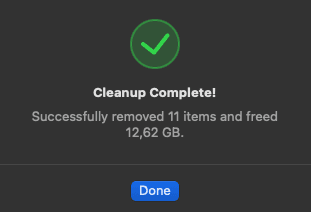
Let's get started!
Download BuildSweeper now and reclaim disk space consumed by build artifacts and dependency caches.
Download Now